
Installation & License
Installing SilverHawk is straightforward and follows standard Grasshopper plugin distribution practices.
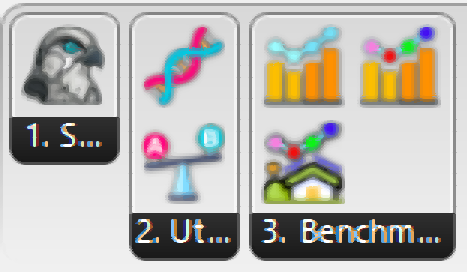
Figure 1: SilverHawk tab in Grasshopper with its three functional panels: 1. Solver, 2. Utility, and 3. Benchmark.
Installation Methods
OFFICIAL RECOMMENDED METHOD
Direct In-App 1-ClickRhino Package Manager (RPM • Yak)
Installa SilverHawk direttamente all'interno di Rhino con un solo click, senza dover estrarre archivi zip o sbloccare DLL. Il link lancia automaticamente Rhino 8 aprendo il Package Manager già posizionato su SilverHawk.
Oppure digita nella barra comandi di Rhino:
_PackageManager→ cerca “SilverHawk” → InstallaMethod A: Food4Rhino & Rhino Package Manager (Yak)
- Download the official package from food4Rhino or search for
SilverHawkdirectly inside the Rhino Package Manager (_PackageManagercommand in Rhino 8/9). - Click Install and restart Rhino.
Method B: Manual Installation
- Download the release archive
SilverHawk_v0.6.36.zipfrom the Official Download Page. - Crucial Windows Step: Before extracting, right-click the
.zipfile, select Properties, check the Unblock checkbox at the bottom right, and click Apply / OK.
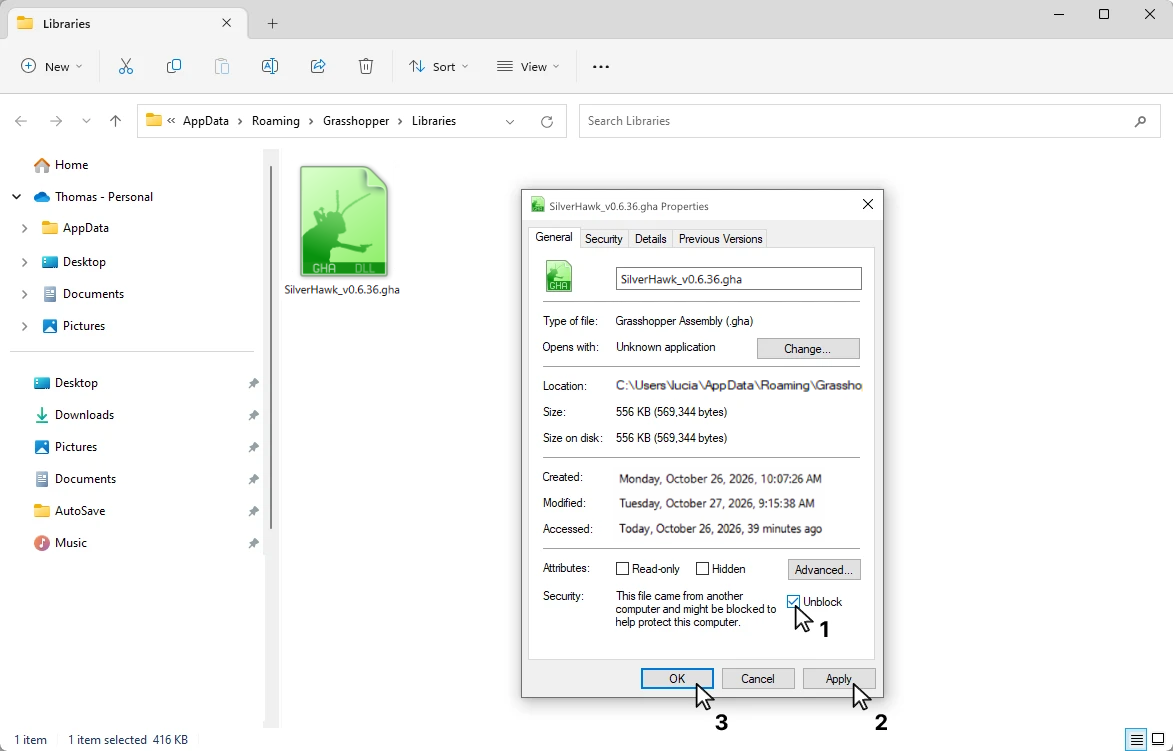
Figure 2: Ensure you check "Unblock" in the assembly properties to allow Rhino to load the plugin.
- Open Rhino and launch Grasshopper. Go to File → Special Folders → Components Folder.

Figure 3: Locating the Grasshopper Libraries special folder.
- Extract
SilverHawk.ghaand any companion DLLs directly into this folder (%APPDATA%\Grasshopper\Libraries\). - Restart Rhino.
License Activation
SilverHawk is free. A one-time registration is required to activate it:
- Place the SH_Solver component onto your Grasshopper canvas and double-click it.
- If unregistered, a registration modal dialog appears.
- Enter your email address and your license key (requested through the form on the Download page; the key is sent by e-mail).
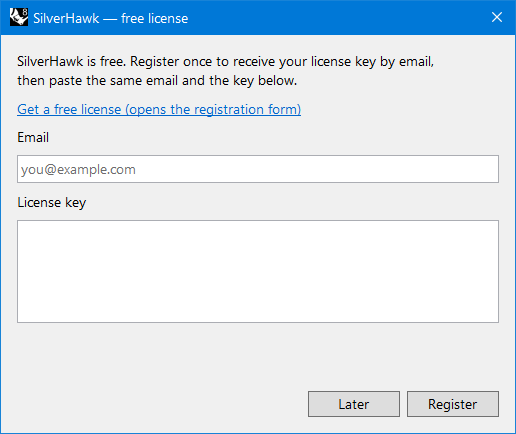
Registration dialog
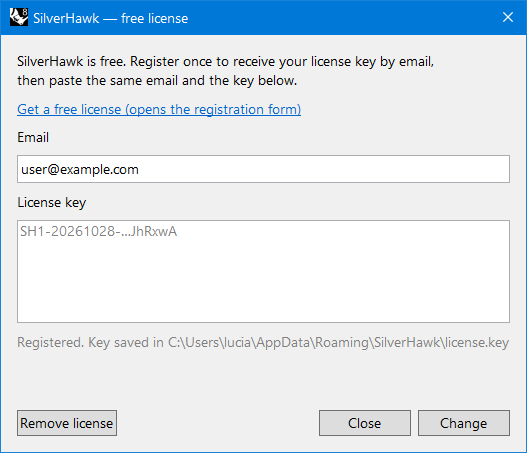
Registered state with masked key
- Click Register. The key is securely saved locally at:
%APPDATA%\SilverHawk\license.key - Once registered, the solver panel opens and the key is verified locally—no constant internet connection is required during your optimization runs.
OFFLINE OPERATION
SilverHawk validates your license key locally. You can run heavy optimization sessions offline without worrying about server timeouts or network drops.