
SH_Solver
The SH_Solver component is the central nerve center of SilverHawk. It coordinates the optimization process, drives Grasshopper number sliders (and Galapagos gene pools), collects fitness metrics, and displays the interactive UI panel.
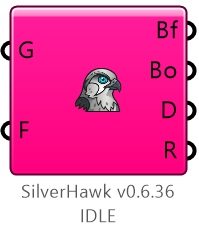
Component Ports Reference
Input Ports
| Port | Name | Type | Description |
|---|---|---|---|
| G | Genes | Number, list | Number sliders (native Galapagos gene pools are also accepted). Each slider's Min and Max define the search domain. |
| F | Fitness | Number, list | One value (single-objective) or several values (multi-objective) to optimize. Direction and weights are set by SH_Objective or in the panel. |
Output Ports
| Port | Name | Type | Description |
|---|---|---|---|
| Bf | Best Fitness | Number | Best fitness found during the run. |
| Bo | Best Objectives | Number, list | Raw per-objective values of the best solution; for MO, of the first Pareto-front member. Empty for a single objective without SH_Objective. |
| D | Data | Solver result | Complete optimization session result: convergence history, best genes, Pareto front, variable metadata, and algorithm profiling. |
| R | Report | Text | Optimization summary report. |
The component status message beneath the component name displays the version and the run status (IDLE, RUNNING, DONE, STOPPED...) with elapsed iterations or time.
Context Menu Commands
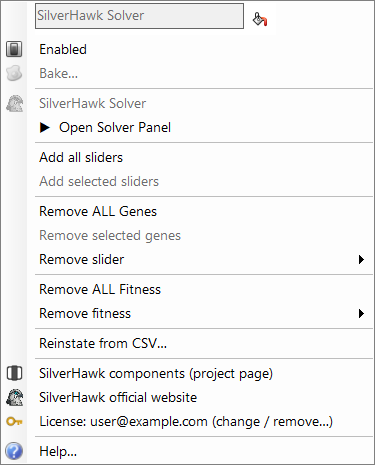
Right-clicking the SH_Solver component provides the following commands:
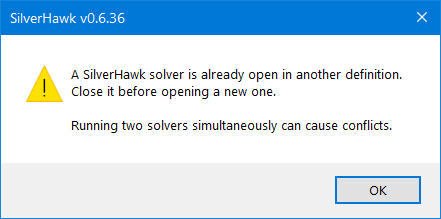
- Open Solver Panel: Opens the main interface window. Only one solver panel can be open at a time across all active definitions; a second attempt displays an alert dialog (Figure 3).
- Add all sliders / Add selected sliders: Connects canvas sliders directly to input G.
- Remove ALL Genes / Remove selected genes: Detaches connected sliders.
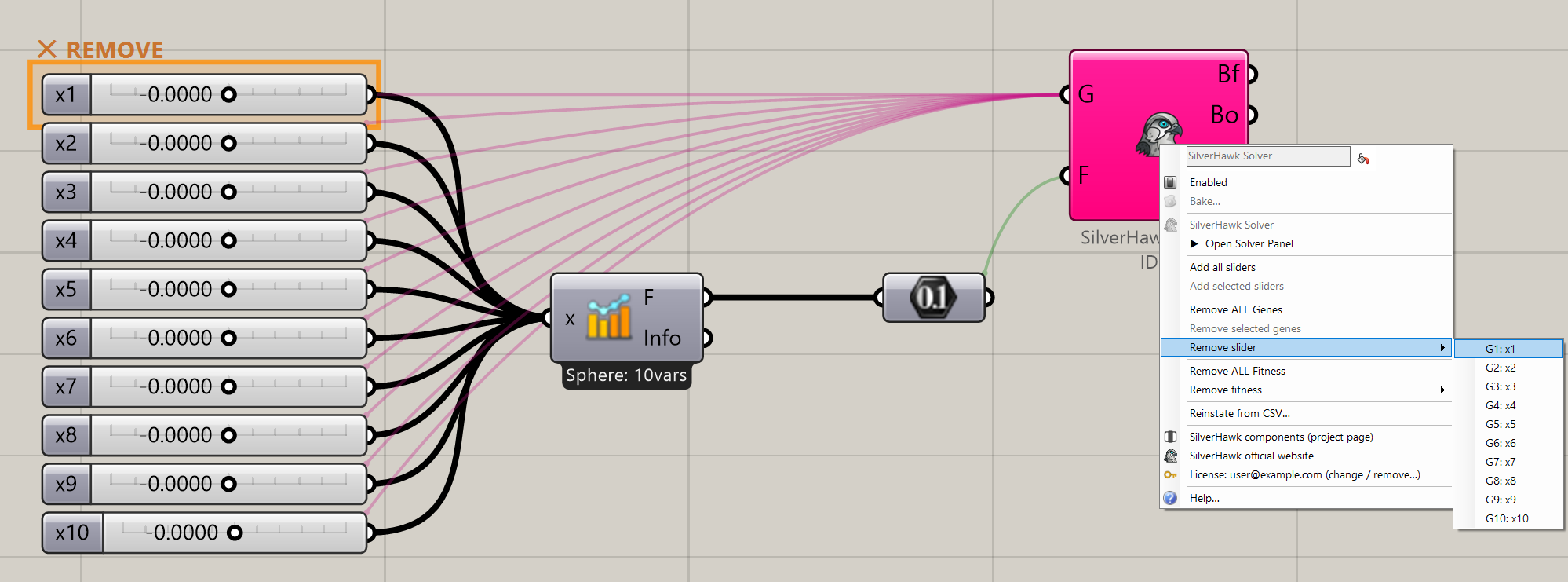
- Remove slider (Hover Menu): Allows detaching individual sliders directly by hovering over the submenu, which highlights the target slider with an orange
REMOVEbounding box on the canvas (Figure 4). - Remove ALL Fitness / Remove fitness: Detaches fitness inputs.
- Reinstate from CSV...: Restores canvas sliders from a previously exported
.csvlog. - License: Displays the registered email address and allows changing or removing the license.
Operational Notes & Performance Safeguards
COMPONENT DELETION & CLOSING
The solver panel is a direct child window of the component. While it is open, the component cannot be accidentally deleted with the keyboard. Closing the panel, closing the definition, or removing the component closes the panel as well. While a run is actively in progress, the panel cannot be closed with the Close button: press Stop first.
EVALUATION OVERHEAD WARNING
All components located between the sliders and the objective are recomputed at every single evaluation. Anything that depends on the sliders but is not needed for the objective (e.g. heavy mesh previews, bakes, or secondary analyses) will slow down every evaluation and should be disabled or detached during an optimization run.